
Discover All the Digital Solutions for a Modern and Efficient Business Here!
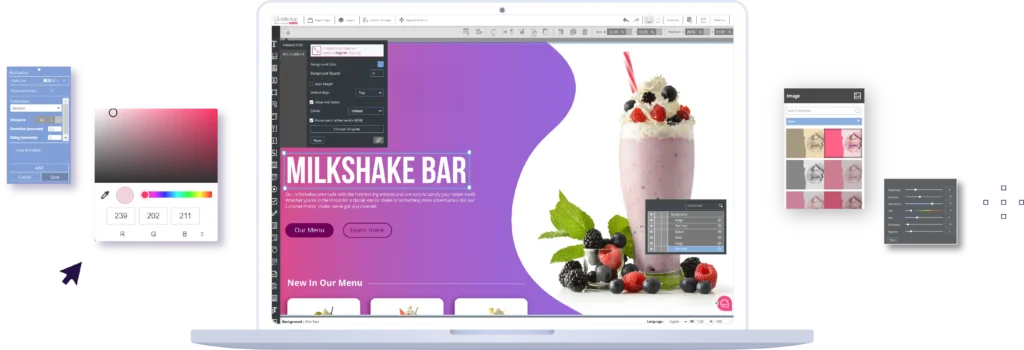
GoMixApp provides business owners, marketing managers, and digital service providers with an all-in-one platform for advanced digital solutions. Instead of juggling resources among different vendors, buying multiple platform licenses, and learning how to use them, you can access all the digital management tools you need with a single, cost-effective subscription. Our user-friendly platform requires no technical expertise and offers a variety of tool creation options. Save time and money, boost operational efficiency, deliver a superior customer experience, analyze usage data, and enhance market adaptability. Leverage our innovative and advanced services for cost reduction, improved business performance, and increased customer retention.
With GoMixApp, select a stylish template and effortlessly create your business’s next digital solution!




Looking to streamline your business’s digital processes?
Select the most suitable digital tool and template, customize it to your needs, or contact us for a professional design.
Step01

Choose a Template
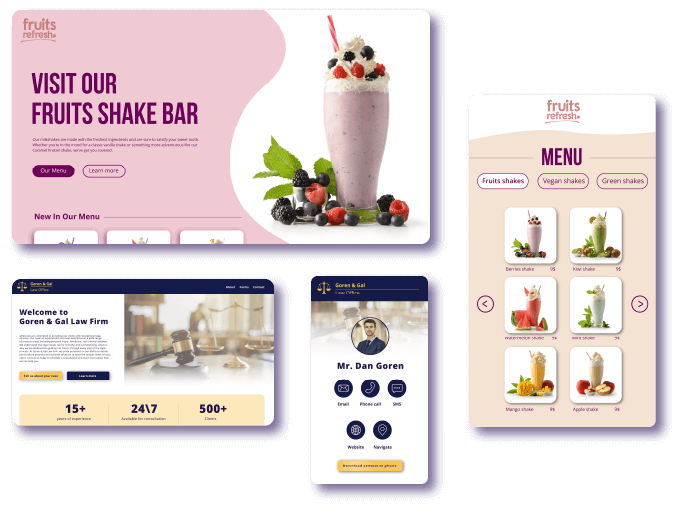
Select from GoMixApp’s beautifully designed templates and customize them to fit your needs.
Need design assistance? Contact us, and our studio will gladly assist you through the process.
Branded digital tools with a sleek, user-friendly interface are crucial for any business’s success. A striking design conveys professionalism and trustworthiness, directly enhancing the user experience. An intuitive and well-designed interface makes it easier for customers to take actions, boosts engagement, and leads to increased sales and satisfaction.
A unique and original design sets your business apart from competitors and helps build a loyal customer base.
Step02
Customize Your Template with Our Online Content Editor
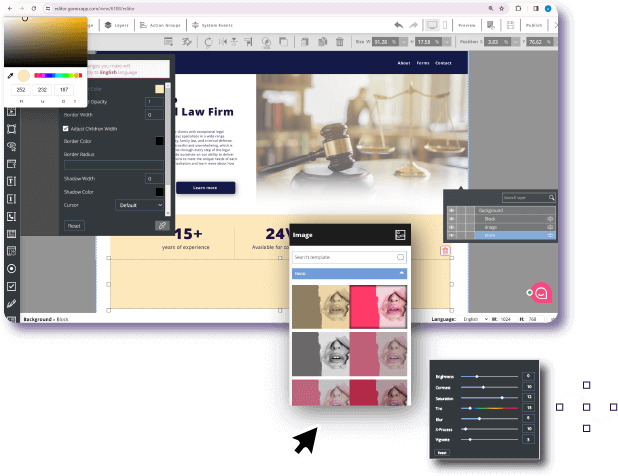
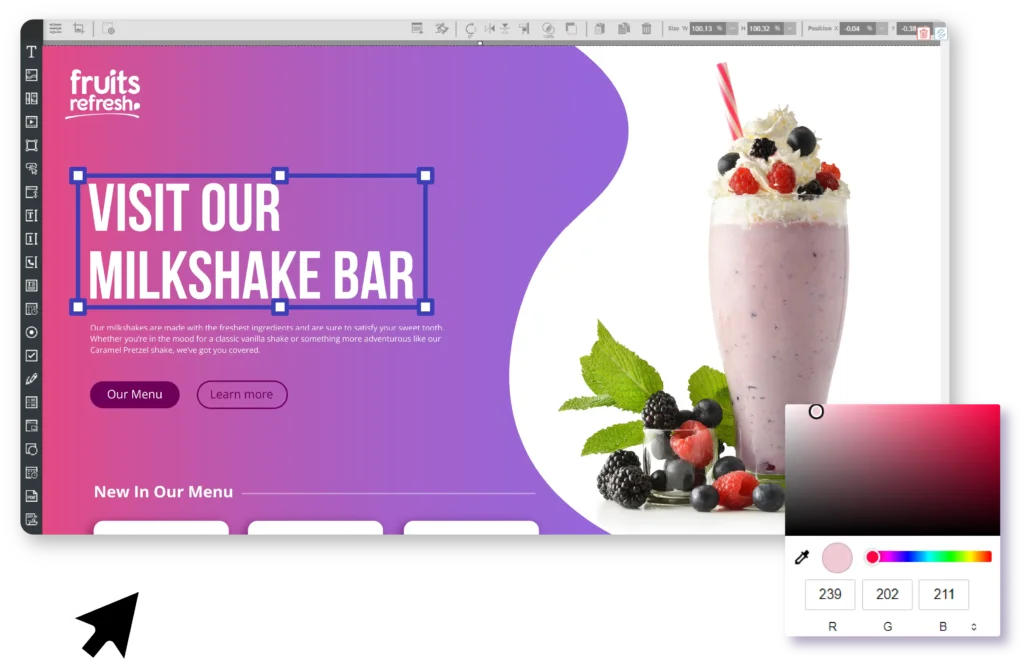
Our advanced Drag & Drop editor allows you to easily customize your chosen template to match your business design. With a simple and intuitive interface, users can drag and drop elements to effortlessly adjust the page layout, add visual content, and make design changes without needing advanced technical skills. This flexible editor enables you to create personalized interfaces tailored to your unique needs, enhancing the user experience and increasing the success rate of your digital solutions.
Step03
Just use it
Use Your Designed Digital Solution on Any Operating System!
GoMiXApp’s digital solutions are accessible in browsers and compatible with Android, iOS, and Windows devices. While the browser version requires an internet connection, the mobile, tablet, and computer versions can be used offline.
Offline mode is perfect for meetings, conferences, and exhibitions, enabling you to work seamlessly and without interruptions even in areas without internet access.
Among Our Clients










Client Testimonials
Oriana Nager
Local government official
Service:
Product:
Recommend:
Reliability, service,” courtesy, professionalism, understanding. One of the best I have ever known.”
Inbar Shmueli
Business Owner
Service:
Product:
Recommend:
“Personal and professional service, quick response, excellent product, very satisfied”
Erez Geffen
Business Owner
Service:
Product:
Recommend:
Unlock the Power of Digital Solutions at Your Fingertips
GoMiXApp provides businesses with digital solutions that streamline the user experience and boost productivity. Our advanced Drag & Drop content editor allows users to make design and functional adjustments easily, without any technical or programming skills.
Our platform supports offline use on Android, iOS, and Windows devices, enabling seamless and uninterrupted work even without an internet connection. This makes it perfect for meetings, conferences, and exhibitions. Additionally, browser accessibility ensures you can access your tools quickly from anywhere, anytime. Creating custom interfaces improves user experience and drives better business outcomes.
GoMiXApp also offers a wide range of templates, including digital signage, interactive stations, sales presentations, digital forms, landing pages, and conference and exhibition apps. This variety ensures that businesses can find the perfect solution for any need or objective.
Moreover, the diverse range of functional components that can be added to any template allows users to create rich and versatile digital solutions tailored to nearly any business requirement. Full integration with Google Analytics enables tracking of both online and offline user activities, including the creation of custom dashboards for data analysis and informed decision-making for continuous improvement.

Steps to Create an Effective Digital Solution for Your Business with GoMixApp
Identify Your Needs
First, identify your business’s need for a digital solution and define the problem you aim to solve to drive your business forward.
Select a Template
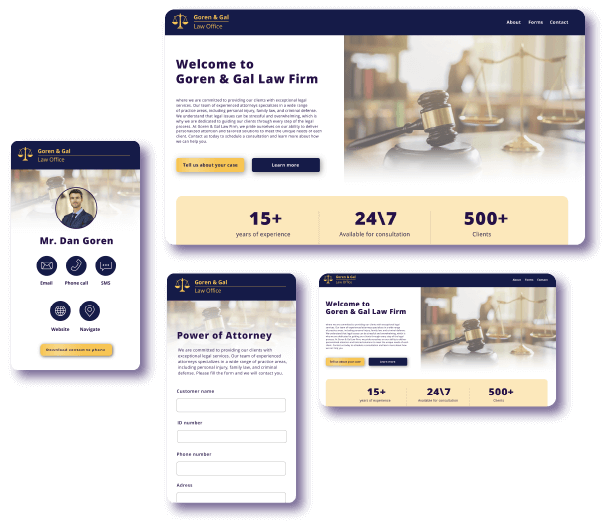
Once you’ve identified your need, choose from a wide range of available templates that match your business requirements, such as digital signage, interactive stations, sales presentations, digital forms, landing pages, conference and exhibition apps, and more.
Customize
With our advanced Drag & Drop editor, you can easily customize the selected template. Add and rearrange elements, modify the page layout, and include visual content effortlessly without technical expertise. You can also integrate various functional components tailored to your specific needs, such as forms, buttons, photo galleries, videos, and interactive maps, enriching your digital solution and enhancing user engagement. For professional design assistance, contact us, and we’ll be happy to help.
Preview and Test
Before launching your solution, preview and test it to ensure everything operates smoothly and without issues.
Choose an Operating System and Distribute
At this stage, select the operating system for your digital solution—Android, Windows, iOS, or browser. For browser-based solutions, distribute the public URL to users. For apps, invite users via the management panel to install and use the solution by adding their names and emails to the system.
Create a Statistics Dashboard
Post-launch, create a customized dashboard to monitor the effectiveness and usage of the digital solution. The dashboard allows you to analyze data such as user numbers, locations, behavior within the solution, and return on investment. It also helps identify areas for improvement to enhance the solution’s efficiency and effectiveness.
Maintenance and Updates
After publishing, update the digital solution as needed to adapt to market changes or business requirements. Updates are made easy with GoMixApp’s Drag & Drop content editor, enabling quick and efficient modifications without technical expertise.
Latest Blog Articles


GoMixApp
All Your Business Digital Solutions in One Place